By Lauren Holland
An obd2 scanner for BMW lets you read the fault codes stored in your car’s engine, transmission and body control modules, and in many cases clear them once the problem is fixed. This guide explains how to choose the right tool for your model, how to connect it and interpret what it shows, and where a basic code reader stops being useful. By the end, you will know how to pull codes on a BMW yourself, what the results do and do not tell you, and when a dealer or specialist is the better call.
What an OBD2 Scanner Can Do on a BMW
Every BMW sold in the United States from 1996 onward uses the standard OBD2 connector, a 16-pin port usually located under the dashboard near the driver’s left knee. A basic scanner reads the generic powertrain codes that all manufacturers share, which begin with P0 (for example, P0300 for a random misfire). For a deeper look at what these readers can and cannot reveal, see OBD2 Scanners and Code Readers: What They Can and Cannot Tell You.
BMW adds a layer of manufacturer-specific codes, starting with P1, P2 and so on, plus codes for chassis, body, airbag and climate systems that a generic reader cannot access at all. For those, you need a scanner that supports BMW’s enhanced diagnostic protocol. Many owners find that a generic reader shows the check engine light code but misses the traction control, ABS or iDrive faults that are actually causing the problem.
Choosing the Right Scanner for Your BMW
When you shop, separate the tool types first. A basic code reader handles engine codes and freeze-frame data. A mid-level scanner adds live data streams and some system-specific access. A dedicated BMW tool or app-based interface adds coding, service resets and module-level diagnostics. For a broader comparison of what to look for, Best OBD2 Scanners and Code Readers for DIY Drivers covers the main categories, and How to Evaluate Tire Inflators, Gauges, Battery Maintainers and Scanners outlines a general evaluation method you can apply to any tool.
Features that matter on a BMW
- Enhanced protocol support: Confirm the scanner reads BMW-specific modules, not only generic engine codes.
- Live data: Real-time readings for coolant temperature, fuel trims, oxygen sensors and throttle position help you spot patterns a single code cannot show.
- Freeze-frame data: A snapshot of conditions when the fault was set, including RPM, load and temperature.
- Battery reset and service functions: Some models need the battery registered after replacement, and oil service or brake pad resets are often done through the same tool.
- Software updates: A tool that is updated regularly is more likely to recognize newer BMW modules.
Model year and compatibility
BMW’s diagnostic systems changed several times between the E-series, F-series and G-series cars. Older models from the late 1990s and early 2000s often use a different connector setup or older BMW protocols, while newer vehicles depend more on CAN bus communication. Check the scanner’s compatibility list for your exact chassis code (for example, E46, F30 or G20) before you buy, because a tool that works on one generation may not reach modules on another.
Step-by-Step: Reading Codes on Your BMW
Once you have the right tool, the process is straightforward. Work in a dry, well-lit area with the car parked on level ground. For a deeper look, Wireless Bluetooth OBD2 Scanner: How to Pick and Use One at Home covers this in detail.
- Turn the ignition off and locate the OBD2 port under the dashboard.
- Plug the scanner in firmly. Most tools power up from the port itself.
- Turn the ignition to the position just before the engine starts (key in position II on most models) without cranking. This powers the modules without starting the engine.
- Select your vehicle or let the scanner identify it by VIN.
- Choose the module you want to read: engine, transmission, ABS, airbag, body, or all systems.
- Record every code, including its status (current, pending or history) and any freeze-frame data.
- Look up each code in the scanner’s database or a BMW-specific reference before you act on it.
Interpreting what you see
A code tells you which circuit or condition the car’s computer flagged, not which part to replace. For example, a P0171 (system too lean) can come from a vacuum leak, a dirty mass airflow sensor, a weak fuel pump or a faulty oxygen sensor. Use live data to narrow it down. Watch the long-term fuel trim at idle and under load: values that stay high suggest the engine is adding fuel to compensate for a lean condition, which points toward an intake leak or airflow sensor issue.
Clearing codes safely
Clearing a code turns off the check engine light, but it does not repair the fault. If the problem is still there, the code will return, often within a few drive cycles. Clear codes only after you have recorded them and made a repair. Clearing them to pass an inspection without fixing the cause can hide a problem that will get worse.
Common Diagnostic Scenarios
The table below lists frequently reported BMW symptoms and what a scanner typically reveals. Actual results depend on the model and the specific fault.
| Symptom | What to check with the scanner | Common findings owners report |
|---|---|---|
| Rough idle, check engine light | Misfire counters, fuel trims, freeze frame | Worn spark plugs, ignition coil, intake leak |
| Battery light or no-start after jump | Battery registration status, charging voltage | Battery not registered after replacement |
| ABS or traction warning | Wheel speed sensor readings, ABS module codes | Damaged wheel speed sensor or wiring |
| Airbag light | Airbag module codes, seat occupancy sensor | Seat sensor fault, clockspring issue |
| Overheating warning | Coolant temperature live data, thermostat behavior | Stuck thermostat, low coolant level |
Common Mistakes
- Buying a generic reader and expecting it to read airbag, ABS or body codes.
- Clearing codes before writing them down, which erases the freeze-frame data you need.
- Replacing parts based on a code alone without checking live data or wiring.
- Ignoring pending codes, which often show intermittent faults before they become permanent.
- Assuming a cleared light means a fixed car. Retest after driving a few cycles.
- Connecting or disconnecting the scanner with the engine running, which can disturb data or modules.
Recommended gear
A few items make BMW diagnosis easier if you plan to work on the car regularly.
- A BMW-capable OBD2 scanner: Choose a tool that supports enhanced BMW protocols so you can read module-specific codes beyond the engine. View on Amazon
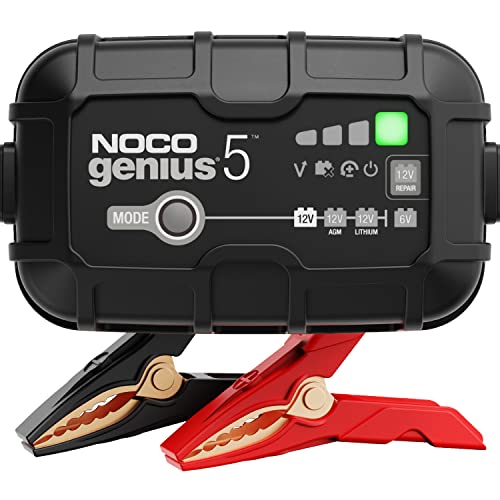
- A battery maintainer: A steady charge keeps voltage stable during coding or long diagnostic sessions, which prevents false codes caused by low voltage. View on Amazon
- A digital multimeter: Useful for checking sensor voltages and wiring continuity once a scanner points you to a circuit. View on Amazon
Tips for Better Results
- Keep a log of codes, dates and mileage so you can spot repeat faults.
- Scan all modules, not just the engine, because a body or chassis fault can cause symptoms that look like engine trouble.
- Update the scanner’s software before a diagnostic session.
- Drive the car after a repair and rescan to confirm the code does not return.
FAQ
Will a basic OBD2 scanner work on my BMW?
It will read generic engine codes on most BMWs from 1996 onward, but it usually cannot access ABS, airbag, body or comfort module codes. For those, you need a scanner with enhanced BMW support.
Can I use the scanner while the engine is running?
Yes, and live data is most useful with the engine running and warm. Do not plug or unplug the tool while the car is cranking, and keep the scanner cable clear of belts and the steering column.
Does clearing codes reset the check engine light permanently?
No. The light turns off, but it will come back if the fault is still present. Clearing codes does not fix the underlying cause.
What does a pending code mean?
A pending code is a fault the computer has detected once but not yet confirmed over multiple drive cycles. It often points to an intermittent problem and is worth checking before it becomes a stored code.
Do I need to register the battery after replacing it?
On many newer BMWs, yes. Without registration, the charging system may not manage the new battery correctly, which can shorten its life. Check your model’s requirements or use a tool that supports battery registration.
Can a scanner tell me exactly which part to replace?
No. A code identifies a circuit or condition. Confirm the cause with live data, visual inspection and, where needed, electrical testing before replacing a part.
When should I see a professional?
If codes involve airbags, brakes, steering or fuel system pressure, or if the problem persists after basic checks, consult a qualified BMW technician. Safety-related systems should not be guessed at.
Conclusion
An obd2 scanner for BMW is one of the most useful tools a DIY owner can have, as long as it reaches the modules your car actually uses. Choose a tool with BMW-specific support, record codes before clearing them, and use live data to confirm the cause. Treat codes as a starting point, and bring the car to a professional when safety systems or complex faults are involved.
About Lauren Holland
Lauren Holland is part of our editorial team and reviews and edits our car care & garage supplies guides, checking product details against manufacturer specifications and owner feedback.