By Lauren Holland
Updated November 2026
A car phone battery charger lets you keep your phone running from your vehicle’s 12-volt electrical system, whether you are on a long road trip, waiting at a trailhead, or stuck with a dead phone in a parking lot. In this guide you will learn how the charging setup works, how to pick the right adapter, how to connect it without drawing down your starter battery, and how to avoid the mistakes that cause blown fuses or drained batteries. The whole process takes a few minutes once you know what to check.
How a Car Phone Battery Charger Works
Most vehicles have a 12-volt accessory outlet, often called a cigarette lighter socket, that is wired to the battery through a fuse. A car phone battery charger is simply an adapter that converts that 12-volt DC supply into the 5-volt DC your phone needs, usually through a USB port. Some units use a single USB-A port, while newer ones provide USB-C Power Delivery for faster charging of recent phones.
Shopping for one? See our guide: Car Battery Charger vs Jump Start (2026): Which Is Better for Your Dead Battery?.
The key point is that the charger draws power from the car’s electrical system, not from a separate battery. While the engine is running, the alternator replenishes whatever the phone draws. While the engine is off, the draw comes straight from the battery, which is why timing and duration matter.
What You Need Before You Start
Gather these items before connecting anything:
- A 12V-to-USB car adapter rated for your phone’s charging standard (USB-C PD or standard USB-A)
- Your phone’s original charging cable, or a certified replacement of the correct type
- A flashlight, if you need to check the fuse panel
- The owner’s manual, which lists the accessory outlet fuse rating (commonly 10A to 15A)
- A multimeter, optional, for checking outlet voltage
Step-by-Step: Charging Your Phone From the Car Battery
Step 1: Confirm the Accessory Outlet Works
Turn the ignition to the accessory position, or start the engine. Plug in a device you know works, or use a multimeter set to DC volts across the outlet’s center contact and the metal side. A healthy reading is roughly 12.4 to 12.7 volts with the engine off, and about 13.5 to 14.5 volts with the engine running. If the outlet reads zero, check the fuse before going further.
Step 2: Seat the Adapter Firmly
Push the adapter fully into the socket. A loose connection causes intermittent charging and can overheat the contacts. Many adapters have an indicator light; if it does not illuminate, the socket is not delivering power.
Step 3: Connect the Phone
Plug your cable into the adapter first, then into your phone. Look for the battery icon or a charging symbol on screen. If you see only a slow percentage increase, check whether the adapter supports fast charging and whether your cable is rated for it.
Step 4: Manage Charging Time With the Engine Off
If you are charging with the engine off, limit sessions to what you truly need. A typical phone draws roughly 1 to 2 amps while charging. Over a 30-minute session, that is a modest load on a healthy battery. Leaving the phone plugged in for hours with the engine off is where starting problems start, particularly in cold weather or with an older battery.
Step 5: Unplug and Check Battery Health
When finished, unplug the phone first, then the adapter. If you noticed slow cranking the next time you start the car, have the battery tested at an auto parts store, which often does this for free.
Choosing the Right Adapter
Not every adapter suits every phone. Consider these factors:
| Factor | What to Look For | Why It Matters |
|---|---|---|
| Output power | 18W or higher for fast charging | Lower wattage charges slowly and may not keep up with heavy phone use |
| Port type | USB-C PD for newer phones | Enables fast charging protocols that USB-A ports often cannot match |
| Port count | Two ports for passengers | Lets you charge two devices without a splitter |
| Safety certification | UL, ETL, or equivalent listing | Shows the adapter has been tested for overheating and short circuits |
| Fuse or protection | Built-in over-current and over-temperature protection | Reduces risk if the socket or cable is faulty |
If your car has a USB port built into the dash, check whether it is a true charging port or only a data port. Some older vehicles provide data connections for music but limited current for charging.
Safety and Electrical Considerations
Keep these points in mind to protect both your phone and your vehicle:
- Never exceed the accessory outlet’s fuse rating. If the fuse blows repeatedly, the adapter or cable is likely drawing too much current or has a short.
- Avoid cheap no-name adapters with no safety markings. Poor construction is a common cause of overheating.
- Do not leave the adapter plugged in unattended for extended periods, especially in hot weather when interior temperatures climb.
- If the adapter or socket feels hot to the touch, unplug it and let it cool. Heat is a warning sign, not a normal operating state.
- Keep cables out of the way of pedals and the steering column.
Common Mistakes to Avoid
- Charging with the engine off for too long. Repeated long sessions can leave you unable to start the car.
- Using the wrong fuse. Replacing a blown 10A fuse with a 20A fuse removes protection and risks wiring damage.
- Assuming any cable works. Damaged or low-quality cables cause slow charging and heat buildup.
- Overlooking a weak battery. A battery near the end of its life may struggle to supply accessories and start the engine. This is a common reason people get stranded after charging their phone in a parked car.
- Plugging in multiple high-draw devices. Running a phone, a dash camera, and a cooler at once can overload the circuit.
Tips for Better Results
- Charge while driving whenever possible, since the alternator covers the load.
- Keep the adapter plugged in only while you need it, and remove it when parked for a long time.
- Check your battery’s health before long trips, particularly if it is more than three or four years old.
- Carry a spare charging cable in the glovebox so one failure does not leave you without a backup.
Recommended gear
A quality 12V-to-USB adapter is the most useful item here. Look for one with USB-C Power Delivery if your phone supports it, since the faster charging speed reduces the time the battery is under load.
A multimeter helps you verify the outlet voltage and diagnose a dead socket without guessing. A basic digital model is enough for this task.
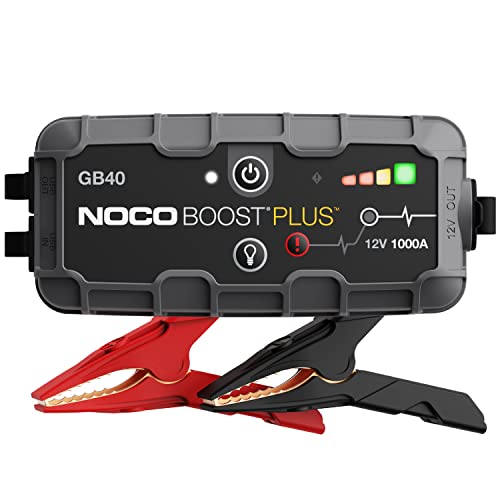
A small jump starter with a built-in USB port can serve as a backup if your battery is too weak to start the engine after a charging session. Keep it charged and stored in the vehicle.
Replacement fuses matched to your owner’s manual rating are worth carrying so a blown accessory fuse does not leave you stuck.
FAQ
Can I charge my phone from the car battery with the engine off?
Yes, but only for short sessions. The phone draws power from the battery directly, so long charging with the engine off can reduce the battery’s ability to start the car. Keep sessions brief and avoid leaving the adapter plugged in overnight.
Will charging my phone from the car drain the battery?
With the engine running, the alternator supplies the load and the battery is not drained. With the engine off, a phone charging for 30 minutes draws a modest amount of energy, but repeated sessions can add up, especially on an older battery.
Why is my car phone charger charging slowly?
Common causes include a low-wattage adapter, a cable not rated for fast charging, a loose socket connection, or a phone that is using power while in use. Try a higher-output adapter with USB-C PD and a certified cable.
What fuse size should the accessory outlet use?
Check your owner’s manual. Most accessory outlets use fuses between 10A and 15A. Never replace a fuse with a higher amperage rating than specified.
Is it safe to leave a car charger plugged in all the time?
Many adapters draw a small standby current even without a phone attached, which can slowly add up. It is better to unplug the adapter when you are not using it, particularly when the car is parked for long periods.
Can a car phone charger damage my phone?
A certified adapter with overcurrent and overheat protection is unlikely to harm your phone. Uncertified products with poor regulation can deliver unstable voltage, which is why safety markings matter.
Why won’t my phone charge at all from the car socket?
Check the fuse first, then confirm the outlet delivers voltage with a multimeter. Try a different cable and adapter to isolate the fault. If none of these work, the socket wiring may need professional inspection. Consult a qualified auto electrician for persistent electrical faults.
Conclusion
A car phone battery charger is a practical way to keep your phone powered on the road, provided you match the adapter to your phone, respect the fuse rating, and keep charging sessions reasonable when the engine is off. Check the outlet, seat the adapter firmly, and watch for heat or slow charging. If your battery is aging, have it tested before relying on it for extended charging.
Related reading
- XS Car Battery Charger: 5 Best Picks for Every Need (2026)
- Vintage Car Battery Charger: 7 Best Picks for Every Need
- Vehicle Jump Starters Portable Car Battery Charger: How to Choose and Use One
- Used Car Battery Charger: 7 Best Picks for Every Need (2026)
Ready to choose one?
About Lauren Holland
Lauren Holland is part of our editorial team and reviews and edits our car care & garage supplies guides, checking product details against manufacturer specifications and owner feedback.