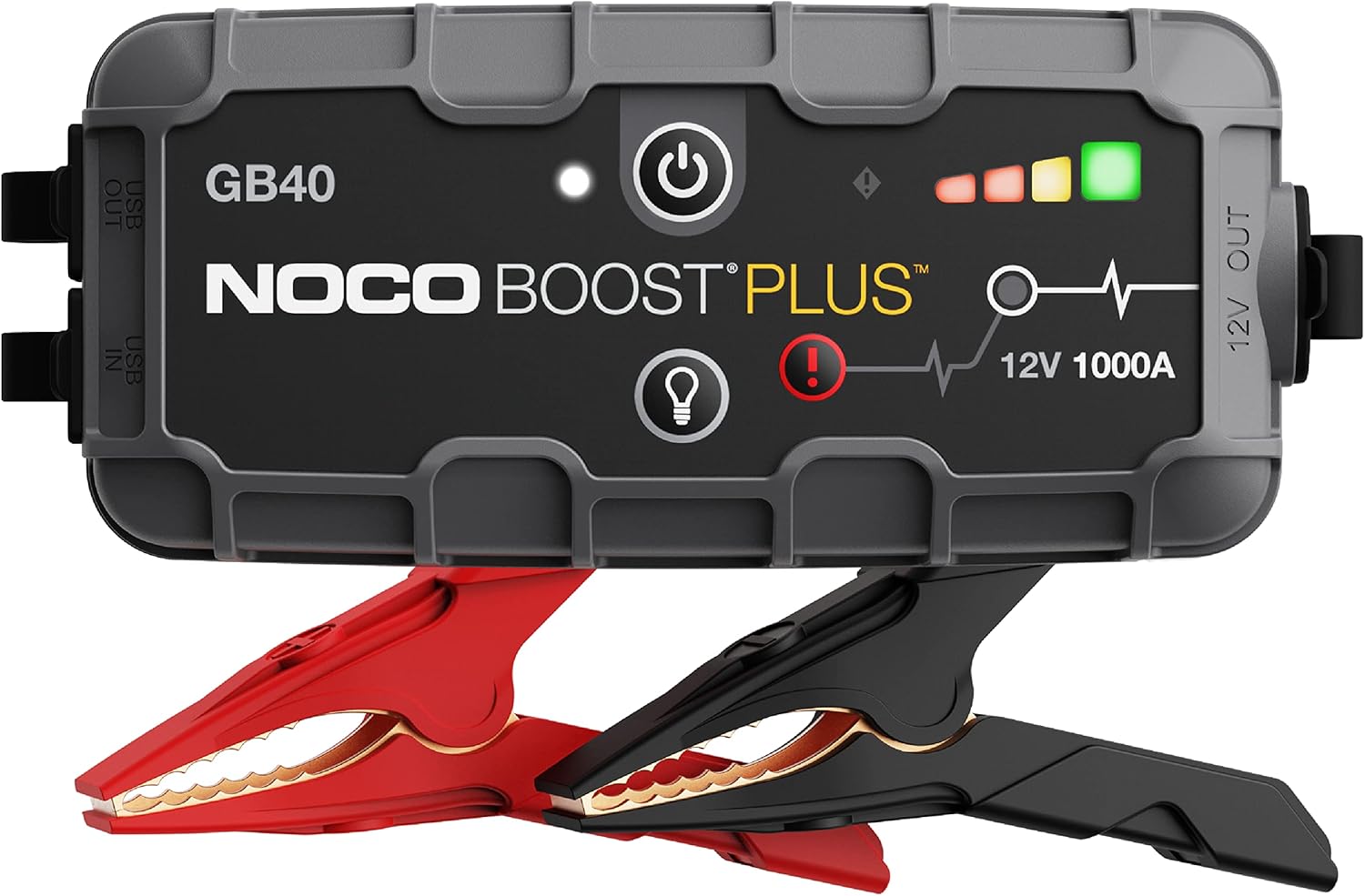
Choosing a dash cam, a car charger, or an adapter for your vehicle involves more than comparing prices or reading quick descriptions. You need to understand how sensor specifications translate to real video quality, how heat tolerance affects reliability, what safety certifications on a charger actually mean, and which connection types work with your vehicle. This guide walks you through the key evaluation points so you can read spec sheets critically, avoid misleading claims, and pick equipment that performs well and lasts.
Dash Cam Sensor and Resolution Claims
The image sensor inside a dash cam is the component that captures light and converts it into an electronic signal. Two main sensor types dominate the market: CMOS sensors, which are common in consumer electronics, and CCD sensors, which are less common in dash cams but offer different low-light characteristics. Most modern dash cams use CMOS sensors, and the quality of that sensor matters far more than the resolution number printed on the box.
A dash cam advertised as “4K” or “1080p” tells you the pixel dimensions of the recorded video, but it does not tell you how well the sensor handles low light, how much noise appears in shadows, or how accurately it reproduces colors. A low-end sensor paired with a high resolution often produces grainy, washed-out footage that is no more useful than a good 1080p sensor. Look for a named sensor model and specific low-light details in the spec sheet, which suggest a sensor designed to perform in dim conditions. Also check the aperture rating, usually written as f/1.6, f/1.8, or f/2.0. A lower f-number means the lens lets in more light, which helps at night and in tunnels.
Frame rate is another specification that affects usability. A dash cam that records at 30 frames per second (fps) is standard, but some models offer 60 fps at lower resolutions. Higher frame rates can capture fast-moving details such as license plates more clearly, but they also require more storage space and processing power. Decide whether you prioritize smooth motion or longer recording time before choosing a frame rate.
Be skeptical of resolutions that are not standard. Some listings claim “2.7K” or “4K Ultra HD” without specifying whether the sensor natively records at that resolution or uses interpolation to upscale a lower resolution. Native resolution is always preferable. If the spec sheet does not state the sensor model or the native resolution, consider that a red flag.
Heat Tolerance: Supercapacitor Versus Battery
Heat is the number one enemy of dash cam longevity. A vehicle parked in direct sunlight can reach interior temperatures well above what consumer electronics are designed to handle. The power source inside the dash cam determines how well it withstands that heat.
Dash cams use either a lithium-ion battery or a supercapacitor to maintain power for a few seconds after the vehicle shuts off, allowing the camera to save the last file properly. Supercapacitors handle high temperatures much better than lithium-ion batteries. They do not swell, leak, or degrade as quickly when exposed to heat. For any region that experiences hot summers or for anyone who parks in direct sunlight regularly, a dash cam with a supercapacitor is the safer and more durable choice.
Lithium-ion battery dash cams are still available and are often less expensive, but they carry a higher risk of battery swelling or failure in hot climates. If you live in a cooler area or park mostly in shaded or garaged spots, a battery-powered model may work fine, but you should still check the manufacturer’s stated operating temperature range. A wide stated operating temperature range is preferable for most vehicles. If the spec sheet does not list an operating temperature range, contact the manufacturer before buying.
Note that supercapacitors do not hold a charge for long once the car is off. If you need parking mode that records motion or impact events for hours after the engine is off, a battery-based dash cam or a dedicated hardwire kit with a low-voltage cutoff may be necessary. Evaluate your parking needs separately from your heat tolerance needs.
Memory Card Requirements
Dash cams write video continuously, overwriting old footage when the card is full. Not all memory cards are built for this constant loop of writing and erasing. Standard SD cards designed for cameras or phones may fail after a few months of dash cam use because they lack the endurance for sustained sequential writes.
Look for cards that are rated for high endurance or are specifically marketed for dash cam use. These cards use a type of flash memory that tolerates repeated rewrite cycles better than standard cards. The capacity you need depends on the resolution and frame rate you record at. Recording time per gigabyte varies with the camera’s bitrate, so check the recording-time table in the manual and choose a high-endurance card large enough to hold the history you want.
Some dash cams have a maximum supported card capacity listed in the manual. Exceeding that capacity can cause recording errors or prevent the camera from recognizing the card. Always check the manufacturer’s specification for the maximum card size before buying a larger card.
Also pay attention to the card speed class. A Class 10 or UHS-I U3 card is typically sufficient for 4K recording. Slower cards may cause the camera to stop recording or produce corrupted files. The dash cam’s manual will specify the minimum speed class required.
Chargers: Safety Certifications and Real Per-Port Output
Car chargers plug into the 12-volt accessory socket (the cigarette lighter port) and convert the vehicle’s voltage to a level that phones, tablets, and other devices can use. The safety and output quality of these chargers vary widely, and a poorly made charger can damage your devices or create a fire hazard.
The most important thing to look for is a legitimate safety certification mark from a recognized testing organization. In the United States, marks from Underwriters Laboratories (UL), Intertek (ETL), or the Canadian Standards Association (CSA) indicate that the charger has been independently tested for electrical safety. A charger that carries no certification mark or that displays a counterfeit mark should be avoided. Some chargers sold online use fake certification logos, so verify the mark against the certifying body’s database if you are unsure.
Output current is listed in amperes (A) and voltage (V). A standard USB-A port typically delivers 2.4 amps at 5 volts, which is enough to charge most phones at standard speed. USB-C ports that support Power Delivery (PD) can deliver higher wattages, often 18 watts, 30 watts, or more, which allows fast charging for compatible phones and laptops. The spec sheet should list the output for each port individually. A charger that says “total output 4.8A” may split that current across two ports, meaning each port delivers less when both are in use. Look for per-port ratings to understand what each device will actually receive.
Some chargers also include a feature called “smart detection” or “adaptive charging,” which automatically adjusts the output to match the connected device’s requirements. This is useful when charging different devices over time, but it does not replace the need for clear per-port specs.
Build quality matters for chargers too. A charger that feels lightweight, has loose-fitting USB ports, or uses thin plastic housing is more likely to overheat or fail. The metal contact points on the 12-volt plug should be firm and spring-loaded. Avoid chargers with visible gaps or rough edges around the USB ports.
Adapters: Connection Type
Car adapters cover a range of devices, including 12-volt to USB adapters, 12-volt to AC inverters, and adapters that add extra accessory sockets. The connection type determines whether the adapter will fit your vehicle and whether it can handle the power draw of the devices you plug into it.
The standard 12-volt accessory socket has been the same size for decades, but some newer vehicles use a smaller or differently shaped socket. Before buying an adapter, confirm that the plug matches your vehicle’s socket shape. Some adapters come with interchangeable tips or a tapered design to fit both standard and recessed sockets.
For 12-volt to AC inverters, which convert the vehicle’s DC power to household AC power, the critical specification is the continuous wattage rating. This number tells you how much power the inverter can deliver steadily. Inverters that plug into the accessory socket are limited by that socket’s fuse, so larger inverters must be wired to the battery as the manufacturer directs. The peak or surge wattage, which is higher, applies only for a few seconds when a device first starts up. Do not rely on the peak rating for continuous use. If you plan to run a device that draws more than the inverter’s continuous rating, the inverter will overheat and shut down or fail.
For adapters that add extra 12-volt sockets or USB ports, check the total current draw of all devices you plan to plug in. Each socket and port draws from the same vehicle circuit, so check its fuse rating in the owner’s manual. Exceeding that limit will blow the vehicle’s fuse. Some adapters include a built-in fuse that protects the adapter itself, but the vehicle’s fuse remains the primary safeguard.
Firmware and App Support
Dash cams and some smart chargers rely on firmware to operate correctly. Firmware updates can fix bugs, improve video processing, add features, or address compatibility issues with memory cards. Before buying a dash cam, check whether the manufacturer provides firmware updates on their website and how often those updates are released. A dash cam from a manufacturer that has not issued an update in several years may be abandoned, leaving you with unresolved issues.
Many dash cams offer a companion app for viewing footage, adjusting settings, and downloading clips to your phone. The app should be available for both iOS and Android and should have recent update dates. Check that the app supports your phone’s current operating system and is still being updated. An app that is poorly maintained can make everyday use frustrating.
For chargers and adapters, firmware updates are rare, but some smart chargers with USB-C Power Delivery may have updatable firmware to support newer charging protocols. If that matters to you, confirm the update process before purchasing.
Red Flags in Product Listings
Certain claims and omissions in product listings should raise your suspicion. Here are common red flags to watch for when evaluating dash cams, chargers, and adapters:
- Vague or missing sensor information. A dash cam listing that does not name the sensor type or model may be hiding a low-quality component.
- Inflated resolution claims. “4K Ultra HD” without specifying native resolution or frame rate often means interpolated or software-enhanced video.
- No operating temperature range. For dash cams, this omission suggests the product was not tested for heat tolerance.
- Missing safety certifications. A car charger that does not show a UL, ETL, or CSA mark may not meet basic electrical safety standards.
- Unrealistic output numbers. A charger that claims 10 amps from a single USB-A port is physically impossible with standard 5-volt USB. Such claims indicate a misunderstanding or deception.
- No memory card speed or capacity guidance. A dash cam that does not specify the required card class or maximum capacity may cause compatibility problems.
- No firmware update history. A manufacturer that does not provide firmware updates or does not list update notes may not support the product long-term.
- Generic or stock photos. Listings that use generic images without showing the actual product ports, buttons, or mounting system may be selling a different item than described.
- Overly broad compatibility claims. “Fits all vehicles” or “works with all phones” without qualification is often a sign that the product was not designed for specific requirements.
Pre-Purchase Checklist Table
| Item | What to Verify | Why It Matters |
|---|---|---|
| Dash cam sensor | Sensor model, aperture (f-number), native resolution | Determines low-light performance and real video quality |
| Dash cam power source | Supercapacitor or lithium-ion battery | Affects heat tolerance and parking mode duration |
| Dash cam temperature range | Operating temperature spec in manual | Prevents failure in hot or cold climates |
| Memory card | High endurance rating, speed class, max capacity | Ensures reliable continuous recording |
| Car charger certification | UL, ETL, or CSA mark | Confirms electrical safety and reduces fire risk |
| Car charger per-port output | Amps and volts per port, not just total | Ensures each device gets sufficient power |
| Adapter connection type | Socket shape, plug size, continuous wattage | Determines fit and whether it can handle your devices |
| Firmware and app support | Update availability and update frequency | Affects long-term usability and bug fixes |
| Listing claims | Sensor info, certifications, output numbers, photos | Helps avoid misleading or counterfeit products |
Use this checklist as a quick reference when reading product pages. If a listing fails to provide clear information for any of these items, consider that a reason to look for a more transparent alternative.
FAQ
Do I need a 4K dash cam, or is 1080p enough?
For most drivers, a good 1080p sensor with a wide aperture and proper low-light performance provides clear footage that is sufficient for insurance claims and incident documentation. 4K offers more detail, which can help read license plates at a distance, but it also requires more storage space and a faster memory card. Choose 4K only if you are willing to manage larger files and higher card costs.
Can I use any USB car charger for my phone?
Most USB car chargers work with any phone, but the charging speed depends on the charger’s output and the phone’s compatibility with fast-charging protocols. For the fastest charge, use a charger that supports the same protocol as your phone, such as USB Power Delivery for many modern phones. Check the charger’s per-port output and your phone’s maximum charging rate before relying on it for quick top-ups.
How often should I replace my dash cam’s memory card?
High-endurance memory cards are designed to last for years of continuous use, but they do wear out eventually. A common rule of thumb is to replace the card every one to two years, or sooner if you notice recording errors, corrupted files, or the camera frequently asking to format the card. Always format the card inside the dash cam rather than in a computer to maintain proper file structure.
What should I do if my dash cam overheats?
If your dash cam shuts down due to heat or shows a temperature warning, move it to a shaded area or remove it from the windshield when parked. Consider switching to a model with a supercapacitor instead of a battery, as supercapacitors handle heat much better. Also check that the dash cam is not placed in direct sunlight behind the rearview mirror, where heat can build up rapidly. If overheating persists, the unit may be defective or unsuitable for your climate.
Evaluating dash cams, chargers, and car adapters does not require technical expertise, but it does require a willingness to read spec sheets carefully and ask the right questions. Focus on sensor quality and heat tolerance for dash cams, safety certifications and real output for chargers, and connection type and wattage for adapters. Use the checklist table as a guide, and treat vague or missing information as a warning sign. For more detailed comparisons of specific product categories, see our automotive electronics reviews and broader automotive product reviews. If you are also evaluating other interior accessories, our guide on how to evaluate phone mounts, seat covers, mats and organizers covers similar evaluation principles for those categories.