By Lauren Holland
Updated November 2026
An obd2 scanner with crankshaft relearn function lets you tell the engine computer to relearn the crankshaft position sensor’s reference after you replace the sensor, the crank or the reluctor ring, or after certain engine repairs. The process usually takes under an hour once the scanner is connected. This guide explains when a relearn is needed, how to check whether your scanner supports it, the step-by-step procedure, and the mistakes that cause a relearn to fail.
What Crankshaft Relearn Actually Does
The crankshaft position sensor (CKP) reads a toothed reluctor wheel or trigger ring on the crankshaft and tells the engine control module (ECM) exactly where each piston is. Because manufacturing tolerances and small mechanical differences exist between each sensor and each ring, the ECM stores an adaptive value. When you swap the sensor, the old learned values no longer match the new hardware. The result can be a rough idle, hesitation, stalling, a misfire code, or a no-start condition on some engines.
A relearn tells the ECM to recalculate these values by cranking the engine through a set routine, often with the engine at operating temperature and the throttle at a defined position. Not every vehicle requires a relearn after a sensor swap. Many engines learn automatically during normal driving, but some manufacturers specify a scan-tool procedure. Always check the service information for your specific make and model.
When You Need a Crankshaft Relearn
Consider a relearn when any of the following apply:
- You replaced the crankshaft position sensor or its wiring connector.
- You replaced the crankshaft, the reluctor ring, or the flywheel or flexplate that carries the trigger teeth.
- You performed engine work that disturbed the timing components, such as a timing belt or chain replacement.
- You see crank-related fault codes, such as P0335 (CKP circuit malfunction) or P0336 (CKP range or performance), that persist after the repair.
- The engine idles roughly, stalls, or hesitates after a repair and the manufacturer lists a relearn step.
Checking Whether Your Obd2 Scanner Supports Relearn
A basic code reader will read and clear codes but usually cannot run a crankshaft relearn. Relearn is a bidirectional or manufacturer-specific function. Before you buy or borrow a tool, confirm that it lists “crankshaft relearn,” “CKP relearn,” “crank learn,” or a similar entry for your vehicle. Many mid-range and professional-level scanners include this under a special functions or service functions menu. Some generic scanners show only the menu name and rely on the vehicle’s own support. Read the scanner’s vehicle coverage list carefully, because a tool may support a make in general but not every model year or engine.
Tools and Supplies You Will Need
- An obd2 scanner with bidirectional or service-function capability for your vehicle.
- A fully charged battery or a battery maintainer, since the relearn may run the starter.
- The vehicle’s service procedure or a repair database entry for the exact relearn steps.
- Basic hand tools for the sensor or ring repair, and a torque wrench for fasteners.
- A way to confirm engine temperature, such as the scan tool’s live data.
Step-by-Step: Running a Crankshaft Relearn
Follow the scanner’s prompts, but also follow the vehicle manufacturer’s sequence, since the two sometimes differ.
Step 1: Confirm the Repair Is Complete
Make sure the new sensor is fully seated, the connector clicks into place, and the bolts are torqued to specification. A loose sensor can cause the relearn to fail or produce a new code immediately. Clear any old codes before starting so you can see whether new faults appear.
Step 2: Connect the Scanner and Check Battery Voltage
Plug the scanner into the diagnostic port under the dash and turn the ignition on without starting the engine. Check that the scanner reads battery voltage, typically around 12.4 to 12.8 volts with the engine off. Low voltage during cranking is one of the most common reasons a relearn aborts.
Step 3: Bring the Engine to the Required Condition
Many procedures require a warm engine with coolant temperature above a set threshold and the transmission in park or neutral. Some require the A/C off, no accessory loads, and the throttle at idle. Use live data to confirm the values before you proceed.
Step 4: Select the Relearn Function
Navigate to the special functions menu, choose the crankshaft or CKP learn routine, and follow the on-screen prompts. The scanner will often ask you to confirm the vehicle state. Answer accurately.
Step 5: Let the Procedure Run
The ECM may crank the engine, run it at a set speed, or cycle the throttle. Keep hands and tools clear of moving parts, and do not interrupt the sequence. The scanner will usually report pass or fail when it finishes.
Step 6: Verify the Result
Turn the engine off, wait about 30 seconds, and restart. Check for idle quality, then scan again for pending or stored codes. Watch live crank position and RPM data for dropouts. Drive the vehicle through a short cycle, including light acceleration and deceleration, and rescan.
Common Mistakes
- Skipping the battery check. A weak battery causes slow or incomplete cranking, which is the most frequent cause of a failed relearn.
- Running the relearn cold. Engines that require warm-up will not complete the routine if the coolant is below the threshold.
- Assuming any scanner will do it. Basic readers cannot run the function, and you may waste time troubleshooting a tool that never could.
- Ignoring a loose connector. Crank sensor connectors can work partly loose. Confirm a secure, clean connection first.
- Using generic steps for a specific engine. Procedures differ across engines even within one brand. Verify against service information.
- Replacing parts without diagnosis. Confirm the crank sensor is actually at fault. Wiring faults can produce the same codes.
Tips for a Successful Relearn
- Record the code list and live data before and after so you can compare.
- Keep the scanner’s firmware updated, since vehicle coverage improves over time.
- Note the engine temperature and ambient conditions when you start.
- If the procedure fails twice, stop and check the sensor’s air gap, wiring, and reluctor ring for damage.
- Consider a professional scan if the relearn fails or the engine still runs poorly, since internal faults can mimic crank problems.
Recommended gear
A full-function scanner with service functions makes crankshaft relearn practical at home. Look for a tool that lists your specific make and model under its supported vehicle coverage.
- Autel MaxiCOM MK808 is a bidirectional scanner with service functions that many DIY users consider a capable mid-level option for relearn procedures. View on Amazon
- Launch X431 V+ offers a broad range of special functions and is often mentioned by home mechanics for dealer-style routines. View on Amazon
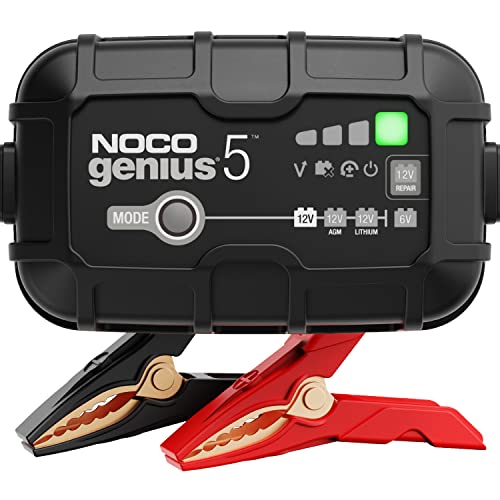
- A battery maintainer keeps voltage stable during the procedure, reducing failed runs caused by cranking voltage drops. View on Amazon
For general guidance on how scanners differ, see How to Evaluate Tire Inflators, Gauges, Battery Maintainers and Scanners and Best OBD2 Scanners and Code Readers for DIY Drivers. If you are unsure what your tool can and cannot do, OBD2 Scanners and Code Readers: What They Can and Cannot Tell You explains the limits clearly.
FAQ
Can I do a crankshaft relearn without a scanner?
In most cases, no. Some vehicles learn the values through a specific driving cycle, but the manufacturer-specified routine almost always requires scan-tool access.
Does every crank sensor replacement need a relearn?
No. Some engines adapt automatically. Check the service information for your vehicle. If you skip a required relearn, you may see rough running or stalling.
What codes suggest I need a relearn?
Crank-related codes such as P0335 and P0336 can appear after a sensor or ring repair. Confirm the cause before assuming a relearn will fix them.
How long does the procedure take?
Once connected and set up, most routines finish in a few minutes. Preparation, warm-up and verification take longer.
Why did my relearn fail?
Common causes include low battery voltage, a cold engine, a loose connector, a damaged reluctor ring, or a scanner that lacks the function for your model.
Can a relearn damage the engine?
The routine itself is designed to be safe, but cranking the engine with a faulty sensor or misaligned part can cause trouble. Diagnose before you run it.
Should I consult a professional?
Yes, if the relearn fails repeatedly, the engine will not start, or you suspect timing or internal engine damage. A qualified technician can test the sensor, wiring and timing components safely.
Conclusion
An obd2 scanner with crankshaft relearn function can turn a frustrating post-repair idle problem into a short, controlled procedure. Confirm your tool supports the function for your exact vehicle, prepare the battery and engine, and follow the manufacturer’s sequence. Verify the result with a rescan and a short drive. When something still feels off, step back and diagnose before you repeat the routine.
About Lauren Holland
Lauren Holland is part of our editorial team and reviews and edits our car care & garage supplies guides, checking product details against manufacturer specifications and owner feedback.