By Lauren Holland
An OBD2 scanner for Mercedes lets you read the diagnostic trouble codes stored in your car’s engine, transmission and body control modules, check live sensor data, and clear a check engine light once the underlying issue is addressed. This guide walks you through choosing the right tool, connecting it correctly, interpreting what it shows you, and knowing where a generic reader stops being useful. Most Mercedes models sold in the United States from 1996 onward use the OBD2 standard, so the basic process is straightforward once you know what to look for.
What an OBD2 Scanner Can and Cannot Do on a Mercedes
A standard OBD2 scanner speaks the generic emissions protocol that every US-market car must support. On a Mercedes, that means it can pull powertrain codes (the P-codes), read freeze-frame data showing conditions when a fault was logged, display live values such as engine coolant temperature, fuel trims and oxygen sensor voltage, and turn off the check engine lamp. For a deeper explanation of these limits, see OBD2 Scanners and Code Readers: What They Can and Cannot Tell You.
Where generic tools fall short is the proprietary side of the car. Mercedes uses its own diagnostic software, Xentry (the dealer system), for airbag, ABS, suspension, climate, door and comfort module faults. A basic reader will usually show nothing for those systems, or it will show a generic code without the Mercedes-specific detail. Some enhanced scanners add manufacturer-specific modes for Mercedes and can read those modules, which matters if your warning light is for the airbag or ABS rather than the engine.
Step-by-Step: Reading Codes on a Mercedes
The process is nearly identical across the W204, W212, W211, W213, W221 and most later models, though exact menu names differ by scanner brand.
- Turn the ignition off and locate the OBD2 port. On most Mercedes it sits under the dashboard on the driver’s side, near the steering column or left kick panel. Some C-Class and E-Class models have it behind a small cover.
- Plug the scanner firmly into the port. If it has a Bluetooth or Wi-Fi adapter, confirm it has power and pairs with your phone or tablet.
- Turn the ignition to the “on” position without starting the engine. This powers the modules so the scanner can talk to them.
- Select your vehicle or let the scanner auto-detect the protocol. Mercedes cars use CAN bus, so choose ISO 15765 or the auto setting if prompted.
- Run a scan of all available modules, not only the engine. Note every code, including pending codes and any “U” (network) codes.
- Record the freeze-frame data for each stored code. It shows engine speed, load, coolant temperature and fuel trim at the moment the fault set, which often points to the cause.
- Look up the code, then check whether it is a current fault or a history code. Clearing a code before diagnosing it erases the freeze-frame data you need.
Tools You Will Need
- An OBD2 scanner that supports CAN bus and, ideally, Mercedes enhanced modes
- A smartphone or tablet if using a Bluetooth adapter
- A notepad or phone camera to record codes and freeze-frame values
- A flashlight for locating the port
- A reliable repair database or your scanner’s built-in code library
Reading Live Data to Confirm a Diagnosis
A code tells you which circuit or system reported a problem; live data helps you see whether the problem is still happening. Once you have the code, switch to the live data view and watch the relevant sensors while the engine is idling and then under light load on a safe road.
| Parameter | Typical reading (warm engine, idle) | What to watch for |
|---|---|---|
| Engine coolant temperature | About 195–220°F once warm | Slow warm-up or readings that jump around suggest a thermostat or sensor issue |
| Short-term fuel trim | Roughly within ±10% | Values well above +10% or below −10% point to a vacuum leak, fuel delivery or sensor problem |
| Long-term fuel trim | Roughly within ±10% | A persistent offset in the same direction across rpm ranges is a useful clue |
| Upstream O2 sensor voltage | Oscillates between about 0.1 and 0.9 V | A flat, steady reading suggests a sensor or heater fault |
| Engine rpm at idle | Usually around 600–750 rpm when warm | Hunting or stalling at idle deserves a closer look at the throttle body and air intake |
These ranges are general guidelines. Check your specific engine’s service information where you can, since targets vary by model and year.
Clearing Codes: When It Is Appropriate
Clearing a code turns off the check engine light and resets the readiness monitors. Doing this without fixing the cause only hides the problem, and the light will return. It also resets the emissions readiness monitors, which means the car may fail a smog test until it completes a drive cycle, usually a mix of city and highway driving over several days. Clear codes only after you have repaired the fault, or when you are watching for the code to return to confirm a fix.
Common Mistakes to Avoid
- Clearing before recording. Write down codes and freeze-frame data first. Once erased, they are gone.
- Treating the code as the diagnosis. A P0301 misfire code, for example, can come from a coil, plug, injector, vacuum leak or compression issue. The code starts the diagnosis; it does not finish it.
- Assuming the engine light covers everything. Airbag, ABS and steering warnings need module-specific reading, which a basic scanner may not provide.
- Ignoring pending codes. A pending code can be an early warning that has not yet triggered the light.
- Using a cheap adapter on a live drive. Some unreliable adapters drop connection while driving and can interfere with the car’s communication. Test the setup while parked first.
Tips for Getting Reliable Results
- Scan with the engine warm for live data, since cold-start readings differ.
- Compare freeze-frame data across repeated codes to spot a pattern, such as misfires only under load.
- Check the battery voltage before scanning. Low voltage can trigger false codes on modern Mercedes electronics, so a healthy battery or a maintainer helps. For guidance on this, see How to Evaluate Tire Inflators, Gauges, Battery Maintainers and Scanners.
- Keep a log of codes, dates and mileage so you can see whether a fault is intermittent or recurring.
- Use a current scanner with updated software. Newer model years use protocols and codes that older tools may not decode.
Recommended gear
A capable enhanced scanner with Mercedes-specific modes will cover more modules than a basic code reader. Look for one that supports CAN bus, offers live data graphing and includes freeze-frame display. Reviews from owners often mention how well a tool handles airbag and ABS modules on German vehicles, so check that detail before you buy.
A stable Bluetooth OBD2 adapter paired with a phone app is a practical choice if you want to log live data during test drives. Choose one that states CAN bus compatibility and check that its app supports the modules you need.
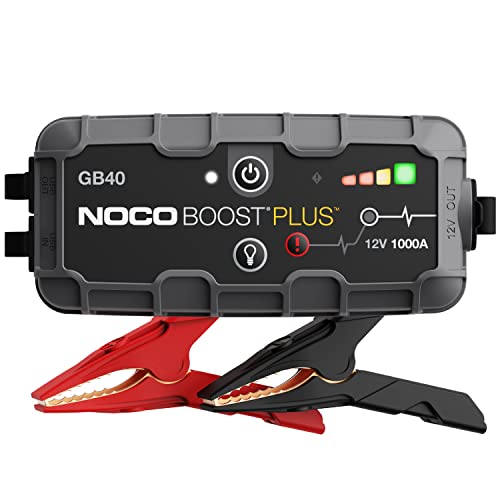
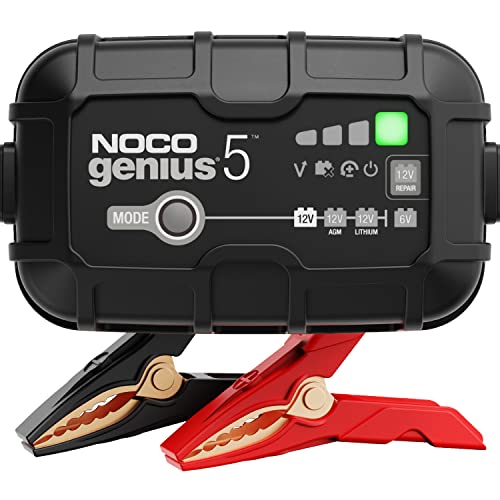
A jump starter or battery maintainer helps keep voltage steady during scanning and any module programming. Stable voltage prevents many false codes on modern Mercedes electronics. Browse options with the phrase View on Amazon or View on Amazon.
A small digital multimeter is useful for confirming sensor voltages or checking a wiring fault that a code points toward. Search for View on Amazon to find a model with a backlit display and auto-ranging.
FAQ
Will a basic OBD2 scanner work on a Mercedes?
Yes, for engine and emissions codes on most models from 1996 onward. It may not read airbag, ABS, transmission-specific or comfort module faults, which often need a more capable tool or dealer software.
Can I use the same scanner on every Mercedes?
Generally yes for the engine. Module coverage differs by model year and platform, so check the scanner’s vehicle compatibility list before buying.
Does clearing a code fix the problem?
No. Clearing only removes the stored code and turns off the light. If the fault is still present, the code will return.
Why does the check engine light come back after clearing?
The underlying fault is still active, or the fix was incomplete. Reread the code and check live data and freeze-frame values to find the cause.
How long until readiness monitors complete after a clear?
It depends on driving conditions. Many cars need several days of mixed driving before all monitors show ready. A smog test before that point may fail.
Should I replace parts based on the code alone?
No. Codes point to a circuit or system. Test sensors, wiring and connections first, since many faults are caused by a loose connector, vacuum leak or failing wire rather than the component named in the code.
When should I see a professional?
If codes involve airbags, brakes, steering, or the transmission, or if you are unsure how to test a fault safely, consult a qualified Mercedes technician. Safety-related systems should be diagnosed and repaired by trained professionals.
Conclusion
An OBD2 scanner gives you a fast, practical view of what your Mercedes is reporting, especially for engine and emissions faults. Record codes and freeze-frame data before clearing anything, confirm the diagnosis with live data, and fix the root cause rather than the code alone. For safety systems and complex module faults, a dealer or qualified technician remains the right step.
Related reading
About Lauren Holland
Lauren Holland is part of our editorial team and reviews and edits our car care & garage supplies guides, checking product details against manufacturer specifications and owner feedback.