By Lauren Holland
Updated November 2026
Finding the best Audi OBD2 scanner comes down to whether the tool can read the modules Audi actually uses, not just the generic engine codes that basic readers display. Audi vehicles, like other Volkswagen Group cars, store fault codes in the engine, transmission, ABS, airbag, climate, and body control modules. A reader limited to powertrain codes will miss much of what is wrong. This guide compares five scanners using criteria that matter for Audi owners: VAG-specific module coverage, live data and bidirectional functions, ABS and SRS support, subscription requirements, and how well each tool handles the Audi model years you are likely to work on.
Our top picks at a glance
- 1
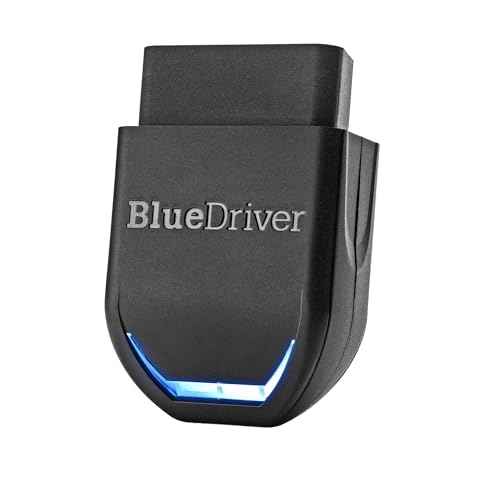
 TOP CHOICEBest overallBlueDriver OBD2 Scanner BluetoothView on Amazon
- 2
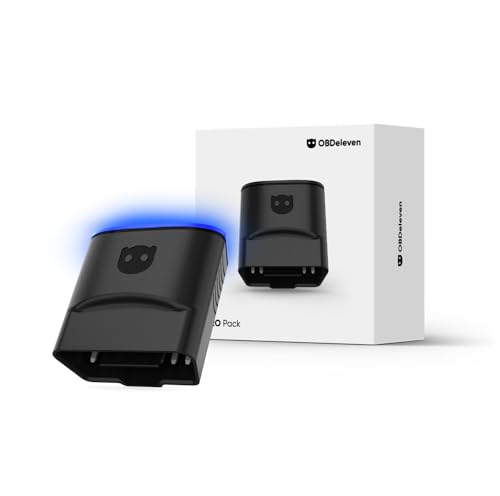 TOP CHOICEBest for VAG coding and adaptationsOBDeleven 3 Pro PackView on Amazon
- 3
 TOP CHOICEBest for full-system bidirectional workCreader Elite V3.0View on Amazon
- 4
 Best for live data on a budgetFoxwell NT301View on Amazon
- 5
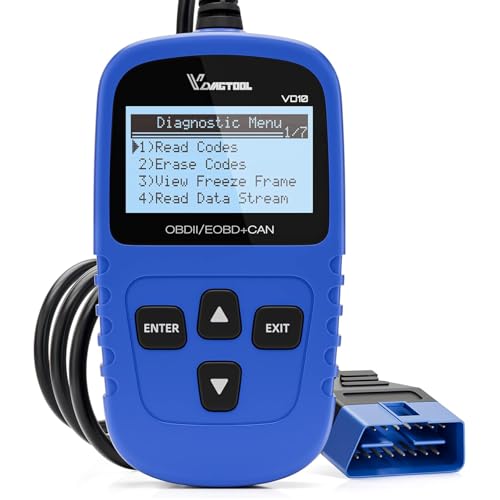 Best budget pick for basic code readingVDIAGTOOL VD10View on Amazon
Our Top Picks
The table below summarizes how the five scanners compare. Each entry is described in more detail afterward.
| Product | Best for | Key feature |
|---|---|---|
| BlueDriver OBD2 Scanner Bluetooth | Best overall | ABS and SRS reading with no subscription |
| OBDeleven 3 Pro Pack | Best for VAG coding and adaptations | VAG-focused module access and coding |
| Creader Elite V3.0 | Best for full-system bidirectional work | Full-system scanning for VAG vehicles |
| Foxwell NT301 | Best for live data on a budget | Live data stream for engine diagnostics |
| VDIAGTOOL VD10 | Best budget pick for basic code reading | Code reading, clearing, and I/M readiness |
BlueDriver OBD2 Scanner Bluetooth
BlueDriver OBD2 Scanner Bluetooth, No Subscription, ABS SRS TPMS | OBDII Diagnostic Scan Tool, Car Scanner & Code Reader, iPhone & Android, Check Engine, Repair Reports, Vehicles 1996+
Best for: Best overall
This is a good fit for owners who want a single tool that reads engine codes and also reaches the ABS and SRS systems, without paying for a subscription to unlock those functions. It pairs with a phone app, which makes it practical for drivers who prefer reading reports on a screen they already carry.
Key specs
- Bluetooth connection to iPhone and Android
- ABS, SRS, and TPMS coverage as listed
- Compatible with vehicles from 1996 and newer
- No subscription required, per the listing
Pros
- Reads ABS and SRS codes, which many basic readers cannot
- No recurring subscription
- Repair reports help organize findings
Cons
- Depends on a phone app, so a charged phone is part of the setup
- Advanced VAG coding is outside its main purpose
Bottom line: A strong first choice for most Audi owners who mainly want to read and clear codes across several systems.
View on AmazonOBDeleven 3 Pro Pack
OBDeleven 3 Pro Pack OBD2 Diagnostic Tool Scanner for Audi Seat Cupra Skoda Volkswagen BMW Mini Toyota Ford Mercedes-Benz (OBDeleven 3 PRO)
Best for: Best for VAG coding and adaptations
This suits enthusiasts and independent owners who want to go beyond reading codes and adjust settings on Audi, Volkswagen, Seat, and Skoda vehicles. It is aimed at people comfortable making deliberate changes to a car’s configuration.
Key specs
- Listed for Audi, Seat, Cupra, Skoda, Volkswagen, BMW, Mini, Toyota, Ford, and Mercedes-Benz
- Designed for VAG module access and coding
Pros
- Strong focus on Volkswagen Group vehicles
- Supports module coding and adaptation, not only code reading
- Covers several brands in one tool
Cons
- Coding changes carry risk if done incorrectly; read the instructions carefully
- More features mean a steeper learning curve for casual users
Bottom line: Best for owners who plan to code or adapt their Audi, not just read codes.
View on AmazonCreader Elite V3.0
2026 LAUNCH Creader Elite V3.0 OBD2 Scanner for VW Audi Skoda Seat | Full Systems Bi-Directional Scan Tool for VAG Vehicles, All Services Car Code Reader, AUTO VIN, Free Update
Best for: Best for full-system bidirectional work
This is aimed at owners who want broader system access on VW, Audi, Skoda, and Seat vehicles, including functions that send commands to modules as well as read data. It fits home mechanics who regularly diagnose more than the engine. A related read: 5 Best OBD2 iPhone Scanners: Top Picks Compared (2026).
Key specs
- Listed as a full-systems bidirectional scan tool for VAG vehicles
- Automatic VIN detection, per the listing
Pros
- Covers multiple control modules on VAG cars
- Bidirectional testing supports component checks
- Listed with free updates
Cons
- Bidirectional tests can affect running components, so use them with care
- Interface and menus take time to learn
Bottom line: A good match for hands-on owners who want deep VAG diagnostics beyond the engine.
View on AmazonFoxwell NT301
FOXWELL NT301 OBD2 Scanner Live Data Professional Mechanic OBDII Diagnostic Code Reader Tool for Check Engine Light
Best for: Best for live data on a budget
This works for owners who want to watch sensor readings in real time while diagnosing a misfire, a fuel trim problem, or an intermittent check engine light. It is a practical tool when the question is “what is happening while the engine runs?”
Key specs
- OBD2 code reader with live data for check engine diagnosis
- Listed as a professional-style OBDII tool
Pros
- Live data helps diagnose intermittent problems
- Straightforward for engine-focused work
- Budget-friendly among live-data tools
Cons
- Limited coverage of Audi-specific modules beyond the engine
- Not designed for VAG coding
Bottom line: Good for engine diagnosis and live data, less suited to full Audi system work. A related read: 6 Best Mercedes OBD2 Scanners for DIY Drivers (2026).
View on AmazonVDIAGTOOL VD10
VDIAGTOOL VD10 OBD2 Scanner Check Engine Code Reader Car Diagnostic Tool | Fault Code Reader with Reset, CAN Scan Tool for All Vehicles (1996 & Newer),Turn Off Engine Light CEL,I/M Readiness Trucks
Best for: Best budget pick for basic code reading
This is for drivers who mainly want to read check engine codes, clear them after a repair, and confirm I/M readiness before an inspection. It keeps things simple for occasional use.
Key specs
- Listed for vehicles from 1996 and newer
- Code reset and check engine light turn-off
- CAN scan support and I/M readiness checks, per the listing
Pros
- Simple to operate
- Covers the core reset and readiness functions
- A sensible entry point for occasional checks
Cons
- Basic scope; no deep Audi module access
- Limited for ABS or airbag troubleshooting
Bottom line: A reasonable choice if you only need to read and clear engine codes now and then.
View on AmazonBuying Guide
Audi module coverage
Engine codes are only part of the picture on an Audi. Look for a scanner that states it reads ABS, airbag (SRS), transmission, and body or comfort modules. Many generic readers stop at powertrain codes, which leaves you guessing on brake or airbag warning lights.
Good picks for this: BlueDriver OBD2 Scanner Bluetooth, Creader Elite V3.0
Live data and sensor streaming
Live data shows values such as engine RPM, coolant temperature, short-term and long-term fuel trim, and oxygen sensor readings while the engine runs. This is most useful for intermittent misfires or lean and rich conditions. Check that the scanner lists live data as a feature, not just code reading.
Good picks for this: Foxwell NT301, BlueDriver OBD2 Scanner Bluetooth
Bidirectional and coding functions
Bidirectional tools send commands to components, such as actuating a fan or solenoid, while coding tools change module settings. These are powerful but carry risk. Use them only when you understand the procedure, and keep a record of original settings.
Good picks for this: Creader Elite V3.0, OBDeleven 3 Pro Pack
Subscription and update costs
Some scanners unlock advanced functions only through ongoing subscriptions. Read the listing to see whether ABS, SRS, or coding features require a recurring plan. A tool with no subscription can be easier to budget around over time.
Good picks for this: BlueDriver OBD2 Scanner Bluetooth, VDIAGTOOL VD10
Connection type and phone compatibility
Wired scanners plug directly into the port and work without a phone. Bluetooth models pair with a phone app, which allows reports and easy viewing but depends on your phone and app updates. Choose based on whether you prefer a standalone screen or a phone-based workflow.
Good picks for this: BlueDriver OBD2 Scanner Bluetooth, Foxwell NT301
Durability and the OBD2 port
The scanner lives in the cabin and gets plugged and unplugged often. A sturdy connector and cable matter more than flashy features. Keep the cable away from the pedals and avoid yanking it out by the wire.
Good picks for this: VDIAGTOOL VD10, Foxwell NT301
Model year and vehicle range
Most listings in this group cover vehicles from 1996 onward, but the depth of support varies by brand and model. Newer Audi platforms may need a scanner with current VAG software. Confirm the listing supports your specific year before buying.
Good picks for this: Creader Elite V3.0, OBDeleven 3 Pro Pack
FAQ
Will a basic OBD2 reader work on my Audi?
A basic reader will show engine (powertrain) codes on any OBD2-compliant car, including most Audis sold in the US after 1996. It usually will not read ABS, airbag, or comfort module codes, which requires a scanner with broader system support. If you want more background, see 5 Best OBD2 Scanners for DIY: Top Picks for Home Mechanics (2026).
What is the difference between reading codes and coding a module?
Reading codes retrieves stored fault information and can clear it. Coding changes the configuration of a control module, such as enabling a feature. Coding can affect how the car operates, so it should be done carefully and with accurate procedures.
Do I need a subscription to use an Audi scanner?
It depends on the tool. Some scanners include full functionality with a one-time purchase, while others gate certain systems or coding behind subscriptions. Check the product listing for subscription requirements before you buy.
Can I clear codes after a repair?
Yes, most scanners can clear stored codes and turn off the check engine light. Clear codes only after the underlying problem is fixed, since clearing without a repair will let the same fault return. Also note that readiness monitors reset when codes are cleared.
Is a Bluetooth scanner reliable?
Bluetooth scanners are generally reliable when paired with a current app and a stable connection. Connection drops can occur with weak adapters or outdated phones. If you rely on it for an inspection or a repair decision, confirm readings against a second source where possible.
When should I take the car to a professional instead?
Complex electrical faults, safety-critical brake or airbag repairs, and any coding that you are not confident about should go to a qualified technician. If a warning involves brakes, steering, or airbags, have it inspected before driving far. A professional can also verify findings that a scanner cannot fully explain.
Conclusion
For most Audi owners, the BlueDriver OBD2 Scanner Bluetooth is the most balanced starting point, covering ABS and SRS without a subscription. If you plan to code or adapt VAG modules, the OBDeleven 3 Pro Pack is better matched to that work, and the Creader Elite V3.0 suits those who want broader bidirectional diagnostics. The Foxwell NT301 is a sensible choice for live-data engine diagnosis, while the VDIAGTOOL VD10 covers basic reading and clearing for occasional use. Match the tool to the systems you actually need to reach, and consult a professional for anything safety-critical.
For a broader look at the process, see OBD2 Scanner for Audi: How to Read and Clear Codes at Home, and for a Bluetooth-focused comparison, see Best OBD2 Bluetooth Scanner: How to Choose One That Reads Codes Reliably (2026). If you are weighing ABS and airbag coverage specifically, Best Obd2 Scanner with Abs and Srs: A Practical Guide (2026) goes deeper, and Using an OBD2 Scanner: Read Your Car's Codes in 5 Simple Steps walks through the basics.
Sources
- Background on OBD-II emissions diagnostics and how the system monitors engine and emissions-related faults (epa.gov)
- Vehicle safety information, including guidance on warning lights for brakes and airbags (nhtsa.gov)
- Standards for on-board diagnostic communication used by modern vehicles
About Lauren Holland
Lauren Holland is part of our editorial team and reviews and edits our car care & garage supplies guides, checking product details against manufacturer specifications and owner feedback.