By Lauren Holland
Updated November 2026
An OBD2 scanner for Volvo lets you read the diagnostic trouble codes stored in your car’s computers, see what the systems are reporting, and decide whether a problem is something you can handle in your driveway or something that needs a shop. Volvos from 1996 onward use the standard OBD2 port, so any reasonably capable reader will connect. What separates a useful tool from a frustrating one is whether it can talk to more than just the engine module. This guide walks through choosing a scanner, connecting it, reading and interpreting codes, and clearing them without making things worse.
What You Need Before You Start
Volvo runs its electronics across several modules: engine control, transmission, ABS and stability control, airbags (SRS), climate control, and body control. A basic code reader only queries the engine module for generic powertrain codes (the P0 series). That is enough for a check engine light, but it will miss an airbag warning, a brake fault, or a transmission issue entirely. Before buying or using a tool, confirm what it covers.
Gather these items before you begin:
- A scanner that supports multiple modules, or at minimum engine and transmission
- Your Volvo’s model year and engine type (this affects which protocols and codes apply)
- A notepad or phone camera to record every code exactly as displayed
- Access to a shaded, level spot with the ignition off before you start
- A basic flashlight to find the diagnostic port
Step 1: Choose the Right Type of Scanner
Scanners fall into three broad categories. Understanding them saves you from buying a tool that cannot answer your question.
| Scanner type | What it reads | Best for |
|---|---|---|
| Basic code reader | Engine (P-codes) only | Check engine light diagnosis |
| Enhanced multi-system scanner | Engine, transmission, ABS, SRS, body modules | Full-car fault review and clearing module codes |
| Bluetooth adapter with app | Depends on app; many read live data | Monitoring live sensor values while driving |
For a Volvo, an enhanced multi-system scanner is the most practical choice. Owners often report that airbag or ABS lights remain on even after the check engine light is resolved, and a basic reader simply cannot see those systems. If you only ever expect engine-light issues, a basic reader is adequate, but plan for the day you need more.
Step 2: Locate the Diagnostic Port and Connect
The OBD2 port is a 16-pin trapezoidal connector. On most Volvos it sits under the dashboard on the driver’s side, near the steering column or the lower panel above the pedals. Some models place it behind a small cover. Use your flashlight to look, and do not force the plug.
- Make sure the ignition is off.
- Plug the scanner firmly into the port until it seats.
- Turn the ignition to the position where the dashboard lights come on, without starting the engine (key on, engine off).
- Power on the scanner and wait for it to establish communication. Most tools show a connection or protocol message within a few seconds.
If the scanner reports no communication, check that the ignition is on, the scanner’s cable is seated, and the fuse for the OBD port is intact. A blown diagnostic fuse is less common but worth checking if nothing else works.
Step 3: Read and Record All Module Codes
Select the option to read codes and choose each module in turn. Work through engine, transmission, ABS, SRS, and any other modules your scanner lists. Record the following for every code:
- The full code (for example, P0300 or a manufacturer-specific code)
- Whether it is pending, current, or stored/historical
- The description the scanner displays
- Freeze frame data if available (engine speed, coolant temperature, fuel trim at the time the fault set)
Freeze frame data is often the most useful part. It tells you what the car was doing when the fault first appeared, which helps separate a one-time event from a persistent problem.
Understanding Code Prefixes
The first letter tells you which system is reporting. P codes are powertrain, B codes are body, C codes are chassis, and U codes are network communication. A U-code often points to a communication fault between modules rather than a failed part, so do not replace components based on U-codes alone.
Step 4: Interpret the Codes Before You Act
A code tells you which circuit or parameter the module flagged. It does not tell you which part failed. Many Volvo owners replace parts based only on the code description, which often costs more than necessary. Check the following before spending money:
- Look up the code for your specific model year and engine. Manufacturer-specific codes can differ in meaning.
- Check for related codes in other modules, which may indicate a shared cause such as low battery voltage.
- Inspect the wiring, connectors, and vacuum lines associated with that circuit for cracks, corrosion, or loose plugs.
- Note whether the code is intermittent. A code that appears only in cold weather points toward a different cause than one present every drive.
If you are unsure how to proceed, consult a qualified Volvo technician, especially for any airbag (SRS) code, brake code, or transmission fault. Those systems affect safety and should not be guessed at.
Step 5: Clear Codes Safely
Clearing codes turns off the warning light and erases stored data. Only clear codes after you have recorded them and addressed the cause, or after a repair when you want to confirm the fault does not return. Clearing a code without fixing the problem simply hides it, and the light will return.
To clear codes, use the clear or erase function in the scanner menu, module by module. Then run a short drive cycle, usually a mix of city and highway driving over several days, to see whether the codes set again. Some monitors need several drive cycles to complete. An incomplete monitor can cause an emissions test to fail even when the repair is correct.
Common Mistakes
- Replacing parts on the code alone. A code points to a symptom. Test the circuit first.
- Ignoring non-engine modules. An SRS or ABS light is a safety matter, not an optional check.
- Clearing codes before recording them. You lose the freeze frame and history you need for diagnosis.
- Trusting a single reading. Intermittent faults may not show up when you scan, so repeat the scan after driving.
- Using an old or incompatible tool. Confirm the scanner supports your Volvo’s model year and protocol.
Tips for Better Results
- Scan the car both before and after a repair so you can confirm the code no longer sets.
- Keep a simple log of dates, mileage, codes, and fixes. Patterns emerge over time.
- Check battery voltage first. A weak battery can trigger misleading codes across several modules.
- Photograph the scanner screen so you keep exact wording and code numbers.
Recommended gear
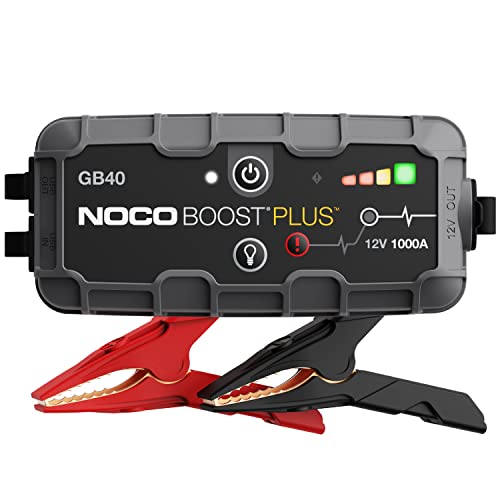
A scanner that reads multiple Volvo modules is the core tool here. Look for models that advertise transmission, ABS, and SRS support, and check the compatibility list for your model year. A Bluetooth OBD2 adapter paired with a smartphone app can be useful for watching live sensor data while driving, though its module coverage depends entirely on the app. A simple jump starter or battery maintainer also helps, since low voltage is a frequent cause of false codes and failed scans.
- Autel MaxiCOM MK808 – A multi-system scanner that covers engine, transmission, ABS, and airbag modules, which is the coverage most Volvo owners need. View on Amazon
- Innova 5610 – A reader with enhanced diagnostic functions and clear code definitions for everyday use. View on Amazon
- BlueDriver Bluetooth OBD2 Scanner – A Bluetooth adapter that pairs with a phone app for reading codes and live data. View on Amazon
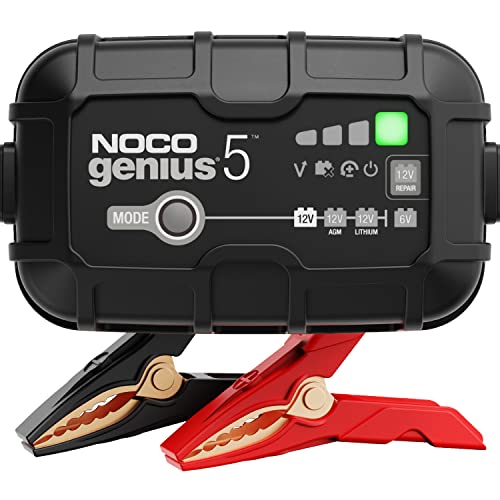
- NOCO GENIUS battery charger – A battery maintainer that keeps voltage stable during diagnosis. View on Amazon
FAQ
Will a basic OBD2 reader work on a Volvo?
Yes, for engine (P-code) faults. Basic readers cannot usually access airbag, ABS, or other body modules, so pick an enhanced scanner if you need those.
Does clearing codes fix the problem?
No. Clearing only turns off the light and erases data. If the fault is still present, the code will return after a few drive cycles.
Why does my airbag light stay on after I cleared the check engine light?
Each module stores its own faults. The airbag system has a separate code that must be read and addressed with a scanner that covers the SRS module.
Can I damage my Volvo by using a scanner?
Reading codes is passive and safe. Problems usually come from clearing codes improperly, using poor-quality cables, or performing module programming, which should be left to a professional.
How many drive cycles do I need after clearing codes?
It varies by monitor and model. Expect several days of mixed driving before readiness monitors complete, and check the monitor status with your scanner.
Are generic codes the same on every Volvo?
Generic P0 codes share standard definitions, but manufacturer-specific codes (P1 and beyond, and body or chassis codes) can differ by model year. Check the meaning for your exact vehicle.
Should I see a professional for every code?
Not necessarily. Simple issues like a loose gas cap or a cracked vacuum hose are often straightforward. For airbag, brake, or transmission faults, consult a qualified Volvo technician.
Conclusion
An OBD2 scanner for Volvo gives you a clear view of what your car’s modules are reporting, which is the first step to sensible repairs. Choose a tool that covers more than the engine, record every code and its freeze frame data before clearing anything, and interpret each code against the circuit and related faults. Used this way, a scanner helps you make informed decisions and avoid unnecessary parts replacement.
Related reading
- Obd2 Scanner for Volkswagen: Read Codes and Fix Common Faults
- Obd2 Scanner for Bmw: How to Pick and Use One to Read BMW Codes
- OBD2 Scanners and Code Readers: What They Can and Cannot Tell You
- OBD2 Scanner for Mercedes: How to Read and Clear Codes Yourself
About Lauren Holland
Lauren Holland is part of our editorial team and reviews and edits our car care & garage supplies guides, checking product details against manufacturer specifications and owner feedback.